Features
Everything an agent needs, on one phone
KAL keeps your clients, diary and deals together, and tells you what to do next. Here's what each part does and the problem it solves.
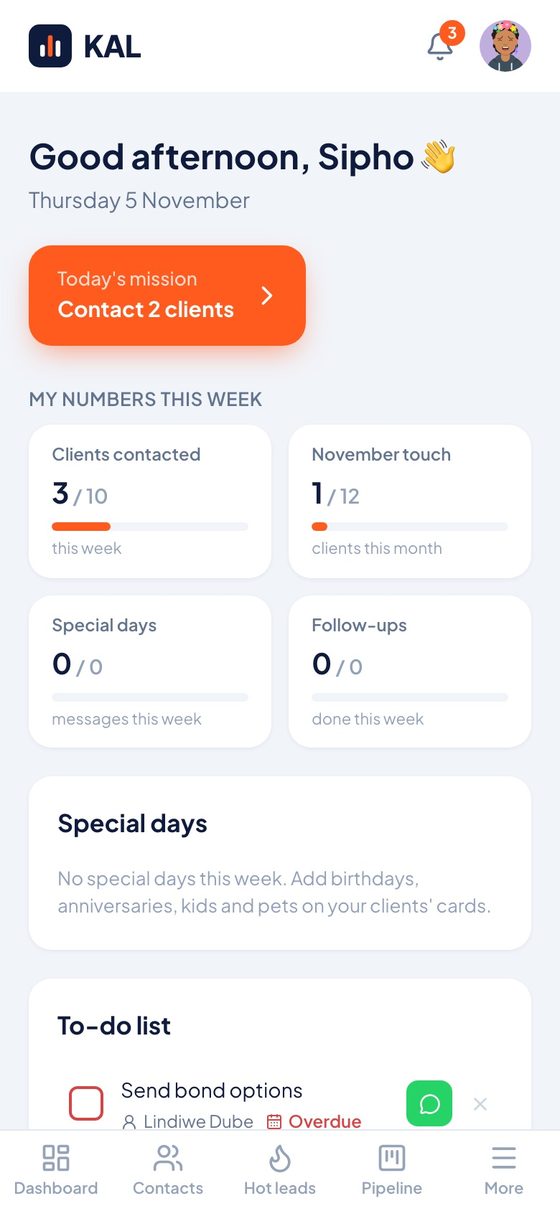
Dashboard and daily target
How do I know who to call today?
Open KAL and Today's mission tells you. You set a daily target, and KAL picks the clients who need you most.
Most agents start the day reacting to whatever is loudest. The clients who would have referred you never get a call, because nothing tells you it's time.
- A daily target you set yourself
- Birthdays and home anniversaries today and this week
- Your to-do list in the same place
Client records
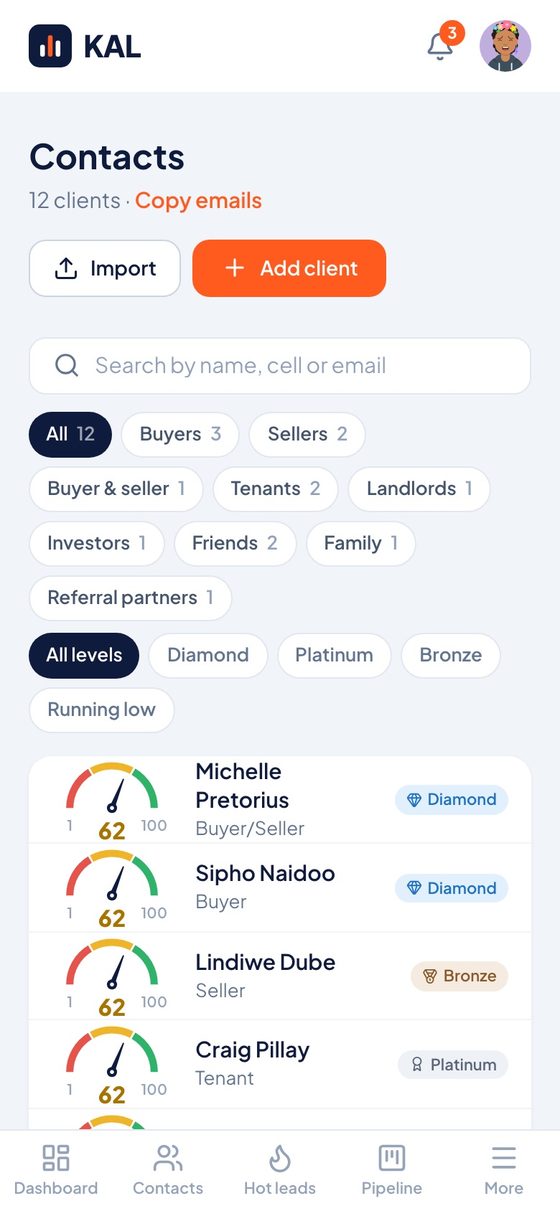
How do I remember everything about a client?
Every client has one card with the details that matter, and a fuel gauge that shows how recently you've been in touch.
Details get lost in phones, notebooks and old spreadsheets. When you can't remember a client's children or when they bought, every call starts cold.
- Birthdays for clients, partners, kids and pets
- More than one property on a client
- Diamond, Platinum and Bronze tiers
- Filter by buyers, sellers, tenants, family and more
Calendar and follow-ups
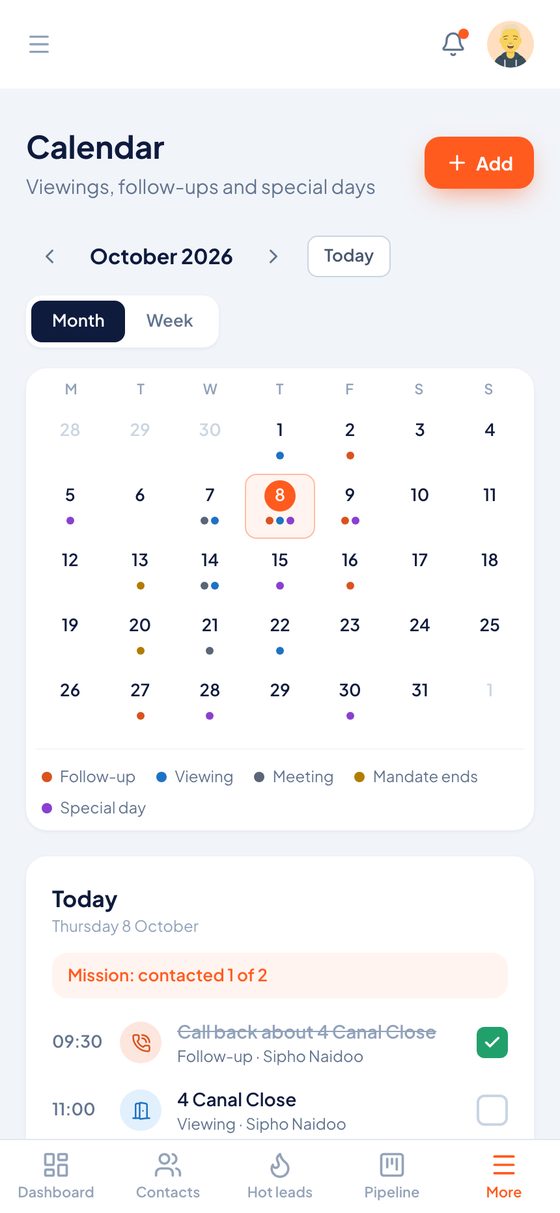
How do I stop follow-ups slipping?
Every follow-up goes in one calendar with your viewings, meetings, special days and mandate end dates, and the bell shows what's due.
A follow-up you forget is a lead that goes to another agent. Keeping them in your head only works until you get busy.
- Month and week views
- Pick a viewing's property from your listings
- Send your client a Google Calendar invite
Scripts
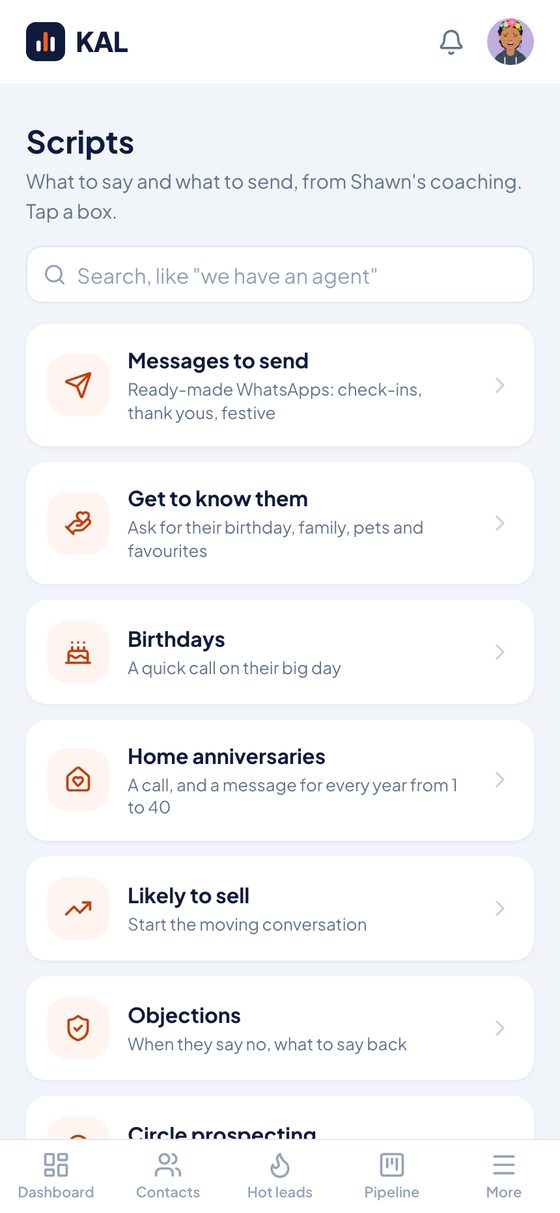
What do I say when I call?
KAL gives you the words, from Shawn Mackrell's coaching. Tap a script, copy it and send it from your own phone.
Agents put off calls when they don't know how to open them. A good script takes away the hesitation.
- Check-ins, thank yous and festive messages
- What to say when clients say no
- Circle prospecting and asking for referrals
My 12
How do I stay in touch all year?
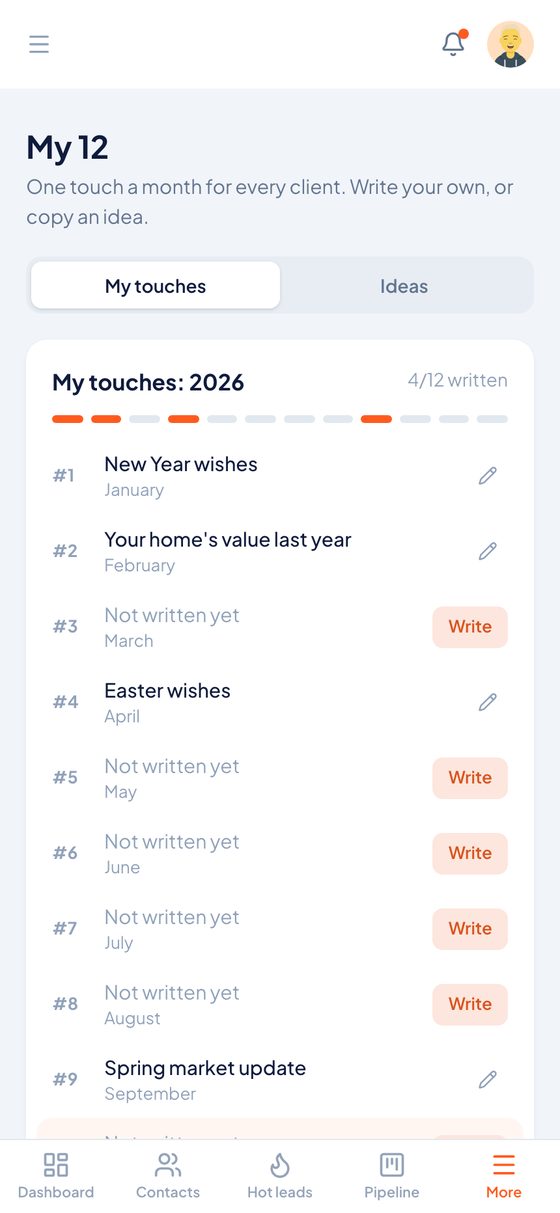
My 12 gives you one planned touch a month for every client. You write each one in your own voice, or start from an idea.
Most agents only contact clients when they want something. Regular, useful contact is what keeps you top of mind when it's time to sell.
- 12 touches a year, month by month
- Ideas to copy when you're stuck
- See how many you've written
Hot leads
How do I keep track of new leads?
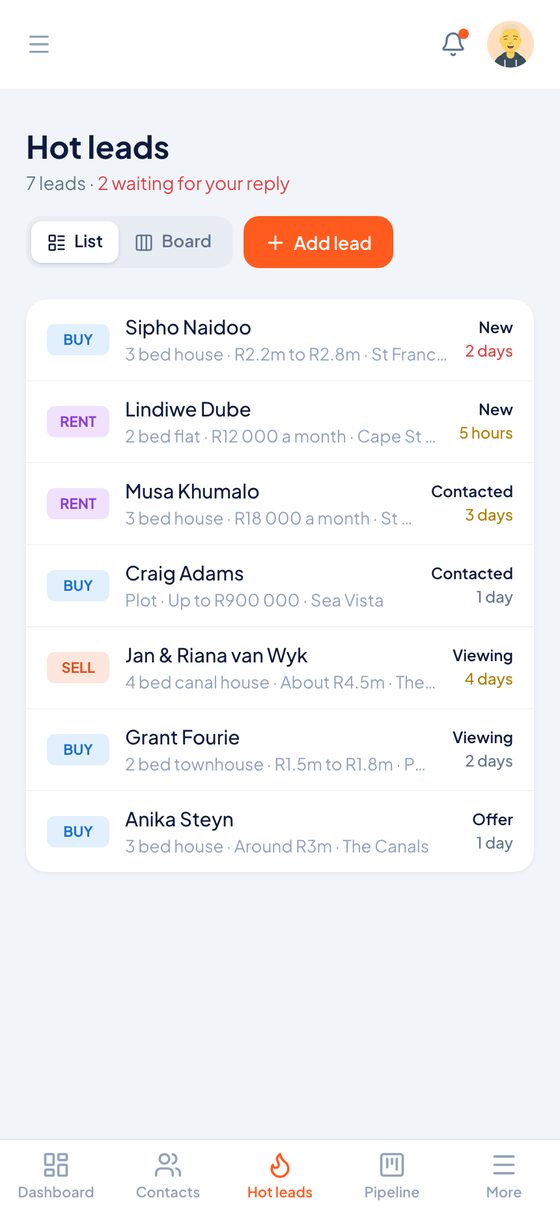
Hot leads puts your buyers, sellers and tenants in one list, so you can see who's new and who's waiting for your reply.
Leads arrive from portals, boards and referrals, and it's easy to lose one. Slow replies cost you the client.
- List or board view
- What each lead wants, and their budget
- Where every lead stands: new, contacted, viewing or offer
Listings
How do I keep my mandates under control?
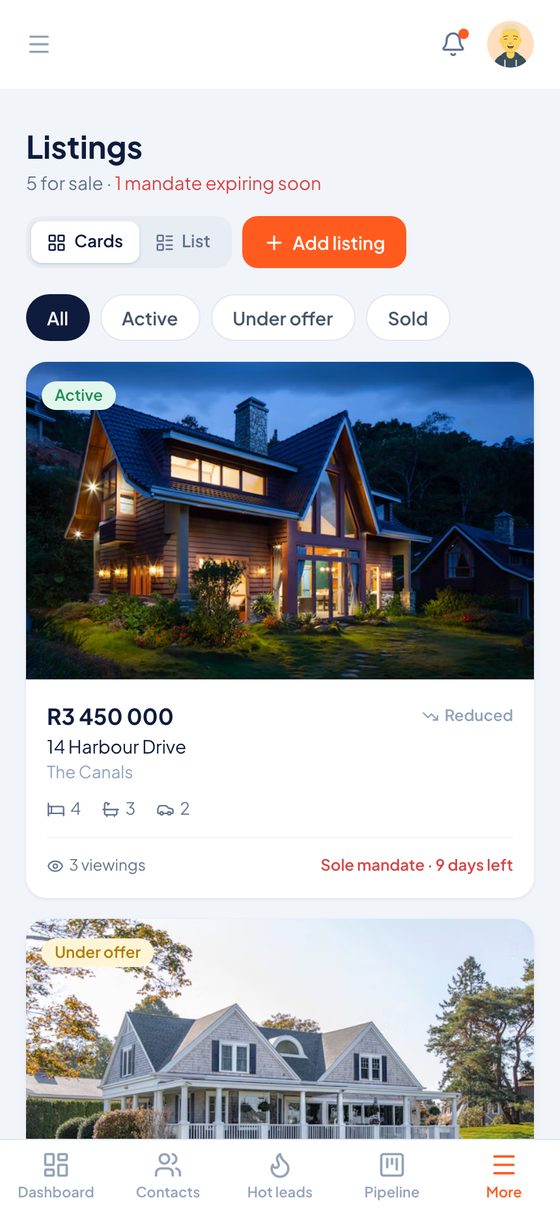
All your listings sit in one place with photos, prices and viewings, and KAL warns you before a mandate runs out.
A mandate that expires without a conversation is a seller you may lose. You need to see it coming.
- Fill in a listing from Property24
- Sole, Dual and Open mandates
- Active, under offer, sold and reduced at a glance
Pipeline
How much commission is on the way?
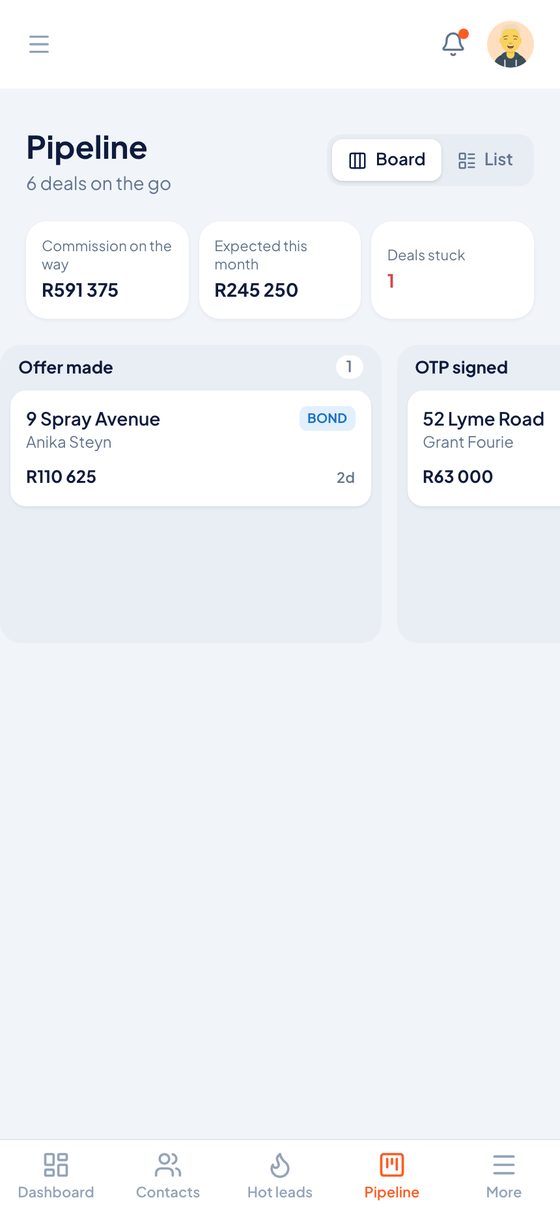
The pipeline shows every deal on one board, with your commission on the way and what's expected this month.
Deals take months to register, so income is hard to predict. Seeing it in one place helps you plan and spot deals that have stalled.
- Commission on the way and expected this month
- Board or list view
- Stuck deals get flagged
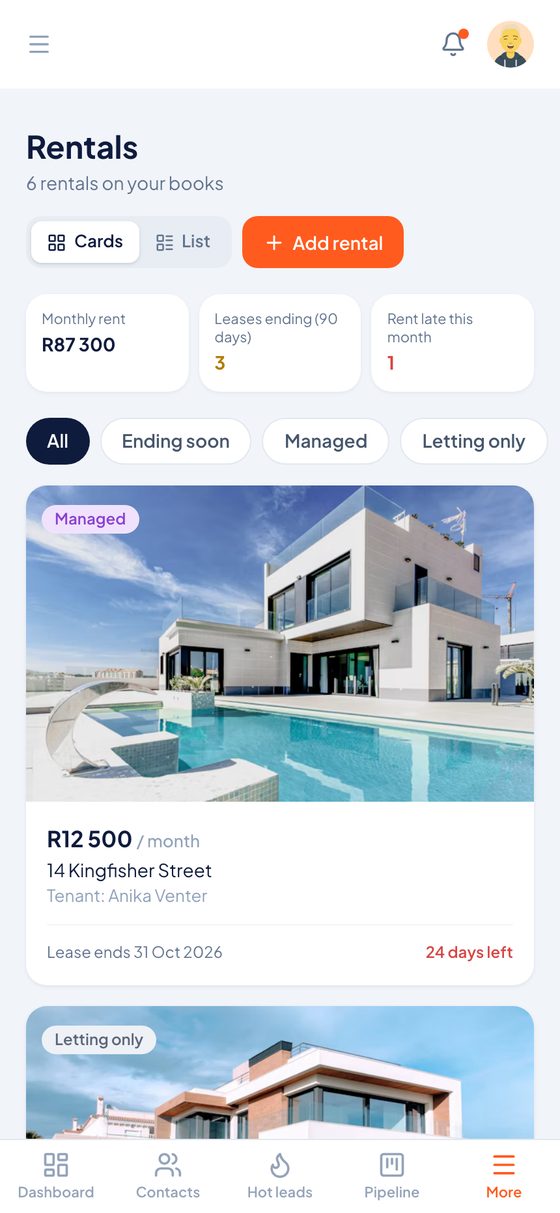
Rentals
How do I manage my rental book?
Rentals tracks what's due and what's ending across every property you manage or let.
A lease that ends unnoticed or rent that goes unpaid creates work you could have avoided.
- Monthly rent, and rent that's late
- Leases ending in the next 90 days
- Managed and letting-only rentals
Bring your clients with you
Import from PropCon or any Excel sheet in a few minutes.
Works on any phone
KAL runs in the browser of any phone, tablet or computer. Add it to your home screen and open it like an app.
Your clients stay yours
Private to you, handled in line with POPIA, and never sold or shared.
Ready to stay in touch with every client?
Start with a free trial. No card needed.